

In February 2021, we rolled out new functionality on the Section Edit page to make scheduling easier for multi-week classes.
Once you’ve added the first week of meeting times for a multi-week or ongoing class, you can click the Bulk Add Meetings button and the system will utilize the length of the class (number of meetings per week and duration in weeks) to predict the remaining meeting times to be added in bulk.
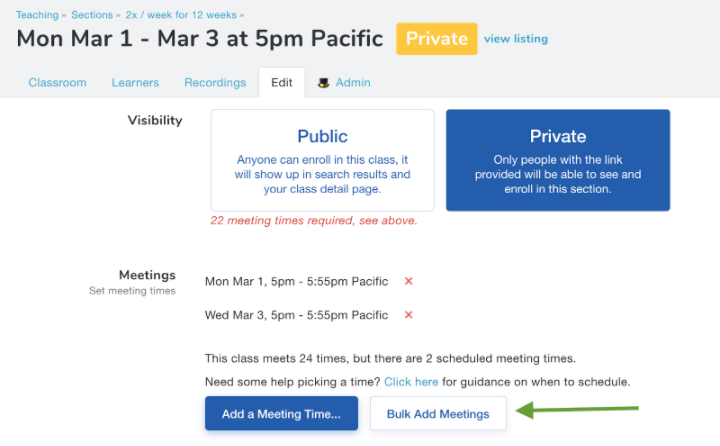
In this example, you can see that our class is scheduled to meet twice a week for 12 weeks.
Clicking the Bulk Add Meetings button enables us to add the remaining 11 weeks of meetings in just two clicks!
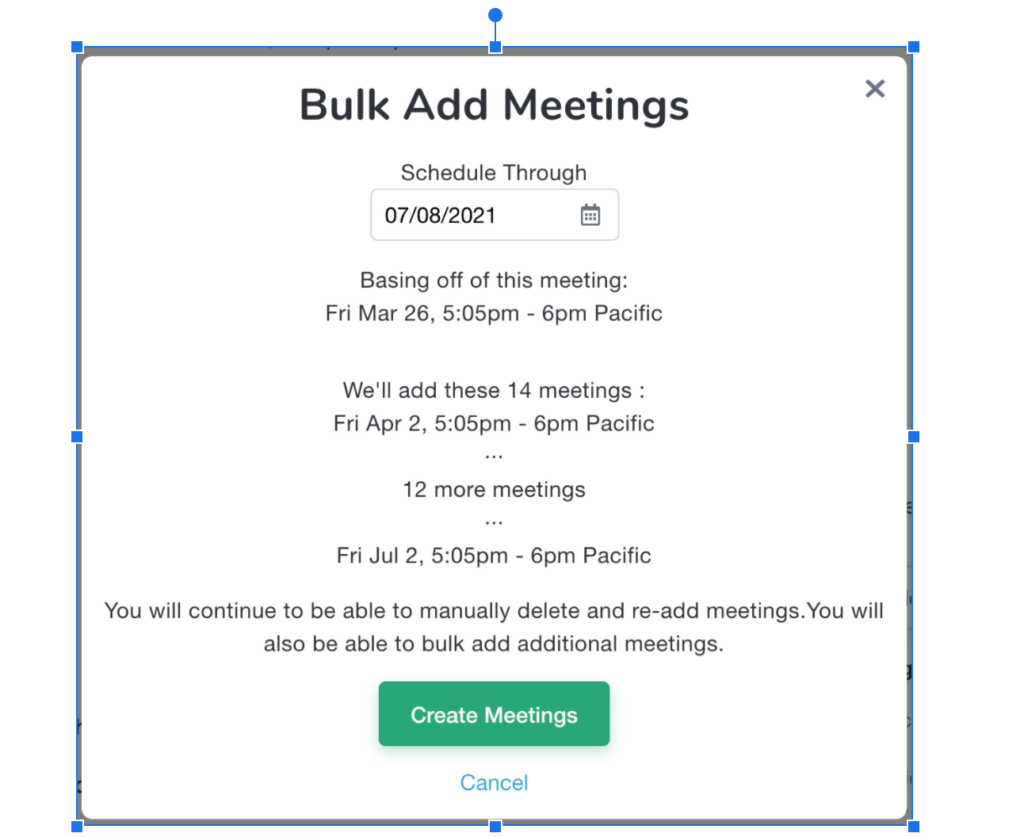
You’ll still be able to manually delete and re-add meetings as needed.
For more details, please read up on managing sections and enrollments. And if you have any questions or feedback, please don’t hesitate to reach out to support@outschool.com.